
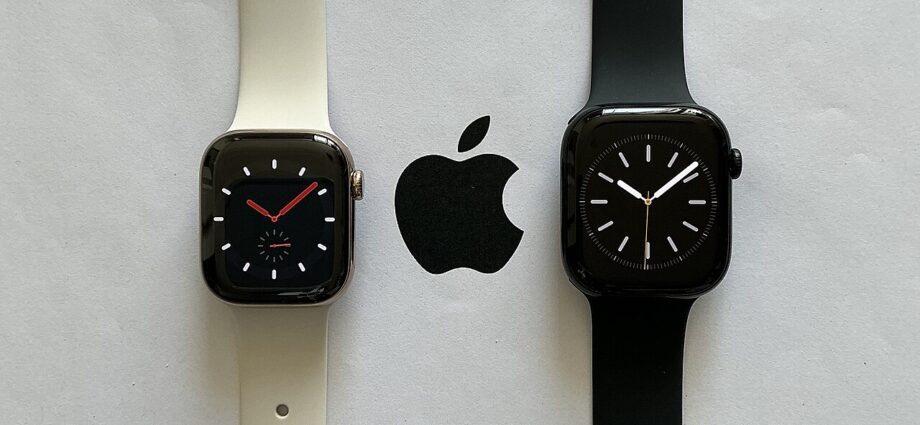
Theater Mode Apple Watch allows you to control notifications and distractions during important moments. This feature is especially useful in settings where silence is appreciated, such as theaters or meetings.
What is Theater Mode?
Theater Mode on the Apple Watch is a feature designed to help users avoid interruptions in environments where silence is crucial, such as movie theaters or meetings. When activated, this mode disables the watch’s sound and prevents the screen from lighting up with notifications. This helps maintain a distraction-free atmosphere, allowing users to stay focused on the task at hand.
To enable Theater Mode, users can simply swipe up on the watch face to access the Control Center. From there, they can tap the theater mask icon, which signifies the mode. Once activated, the watch will vibrate for notifications instead of making sounds, and the screen will remain dark until the user taps it or raises their wrist.
Some key benefits of using Theater Mode include:
- Distraction Reduction: It allows for a more immersive experience in situations where silence is appreciated.
- Extended Battery Life: By keeping the screen dark, it can help conserve battery power during lengthy events.
- Easy Accessibility: Users can quickly toggle the feature on and off as needed, making it convenient for various scenarios.
This feature is particularly useful for people who frequently attend events where maintaining focus is necessary, highlighting the practicality of the Theater Mode on the Apple Watch.
How to Activate Theater Mode
Activating Theater Mode on your Apple Watch is a straightforward process that can enhance your experience, especially in settings where you want to minimize distractions. Follow these simple steps to enable this feature:
- First, raise your wrist or tap the screen to wake your Apple Watch.
- Swipe up from the bottom of the watch face to access the Control Center.
- Look for the theater mask icon, which represents Theater Mode. It typically appears alongside other quick settings.
- Tap the theater mask icon to activate Theater Mode. You will notice the screen darkens, and the watch will not respond to wrist movements.
- To confirm that Theater Mode is enabled, the theater mask icon will be highlighted in orange.
While Theater Mode is active, notifications will still come through, but your watch will remain silent, ensuring that you are not disturbed. If you need to check the time or receive alerts, simply tap the screen or press the Digital Crown. To deactivate Theater Mode, repeat the steps above and tap the theater mask icon again.
Using the Theater Mode Apple Watch feature can be particularly beneficial in environments like cinemas or theaters, allowing you to stay focused without interruptions.
Benefits of Using Theater Mode
Theater Mode on the Apple Watch offers several benefits that enhance the user experience, particularly in environments where focus and discretion are crucial. By utilizing Theater Mode, users can enjoy a more immersive experience without distractions. Here are some key advantages:
- Reduced Distractions: With Theater Mode activated, notifications and alerts are silenced. This allows users to stay focused during meetings, movies, or any quiet environment without interruptions.
- Screen Brightness Control: The feature dims the screen, ensuring that the watch does not emit bright light. This is particularly beneficial in dark settings, allowing for a more comfortable experience for both the wearer and those around them.
- Uninterrupted Viewing: For those enjoying films or performances, Theater Mode ensures that the watch does not light up unexpectedly, maintaining the ambiance and concentration of the audience.
- Effortless Activation: Switching to Theater Mode is quick and easy, making it simple to adapt to various environments. Users can activate it with just a few taps.
- Battery Conservation: By dimming the display and reducing notifications, Theater Mode can also help conserve battery life during extended use.
Overall, the benefits of using Theater Mode on the Apple Watch significantly enhance the user’s ability to remain focused and engaged in various settings.
When to Use Theater Mode
Theater Mode on the Apple Watch is an excellent feature designed to help users remain focused in specific environments. Understanding when to utilize this mode can enhance your overall experience and minimize distractions.
Here are some ideal scenarios for enabling Theater Mode:
- At the Movies: The primary purpose of Theater Mode is to keep your watch silent and prevent any interruptions during a film. By activating this mode, you can enjoy the movie without the distraction of notifications or screen lights.
- During Meetings: If you’re in a professional setting, Theater Mode allows you to stay engaged without the risk of your watch buzzing or lighting up. This helps maintain a sense of decorum and respect for your colleagues.
- In Quiet Spaces: Whether you’re visiting a library, attending a seminar, or spending time in a serene environment, Theater Mode ensures that your Apple Watch remains discreet, allowing you to be present in the moment.
- While Meditating: If you practice mindfulness or meditation, activating Theater Mode can help create a calm atmosphere, free from distractions.
Using Theater Mode on your Apple Watch can significantly enhance your focus and enjoyment in various situations, making it a valuable tool for maintaining tranquility and respect in social settings.
Comparing Theater Mode to Do Not Disturb
When it comes to managing notifications and distractions, both Theater Mode and Do Not Disturb on the Apple Watch serve unique purposes. Understanding how these features compare can help users choose the best option for their needs.
Theater Mode is specifically designed for situations where silence and minimal distractions are crucial, such as when attending a movie or a theater performance. When activated, it not only silences all notifications but also ensures that the watch display remains off until you tap the screen or press a button. This is particularly useful for preventing any bright screens from disrupting others around you.
On the other hand, Do Not Disturb allows users to silence notifications without the same limitation on the watch display. In this mode, notifications are muted, but the screen can still light up with alerts based on your preferences. This mode is ideal for situations where you still want to check notifications but don’t want to be disturbed by sounds.
In summary, while both options help maintain focus, Theater Mode is best for environments where silence is paramount, whereas Do Not Disturb offers more flexibility for everyday situations. Choosing between them depends on your specific needs and the context in which you find yourself.
User Experiences with Theater Mode
User experiences with the Theater Mode Apple Watch have been largely positive, as many users appreciate the added focus it provides during various activities. One user noted that activating Theater Mode during a movie enhanced their viewing experience, as it prevented distractions from notifications and screen lighting.
Another user shared that using Theater Mode during meetings significantly improved their productivity. They remarked, “I love how it keeps my watch silent and the screen dark, allowing me to concentrate fully on the discussion without any interruptions.” This sentiment is echoed by others who have found that the feature helps them stay immersed in tasks that require deep focus.
Moreover, parents have discovered the benefits of using Theater Mode during family outings. One parent mentioned, “When we went to the theater, I activated Theater Mode so my watch wouldn’t light up every time I got a message. It made the experience much more enjoyable for my kids and me.”
Many users have also highlighted the intuitive nature of activating Theater Mode, making it easy to switch on and off as needed. Overall, the combination of reduced distractions and enhanced focus has made the Theater Mode Apple Watch a favorite feature among those who value a more mindful approach to their daily activities.
The Theater Mode Apple Watch is an excellent tool for minimizing distractions during important tasks. By activating the Theater Mode Apple Watch, users can ensure they remain focused without unwanted notifications interrupting their concentration.
via Wikimedia Commons
Comments are closed, but trackbacks and pingbacks are open.